KRKART
Glassify — a real glass-refraction effect for photos and video
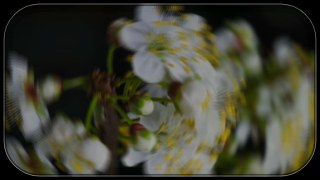
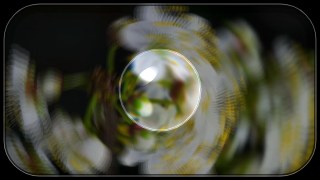
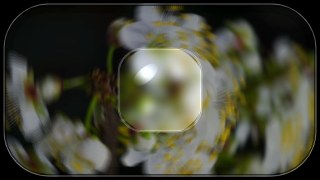
Glassify wraps your image or video in layered glass — refracted copies, a beveled rim, and a draggable magnifier lens with real chromatic aberration. It runs entirely in your browser; nothing is uploaded, and your files never leave your device.
What it does
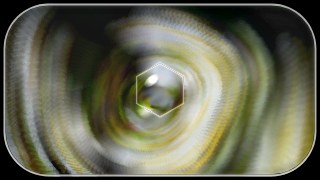
At its core, Glassify stacks rotated, offset and scaled copies of your source and blends them at low opacity to fake light bending through thick glass. You control the Layer count, Offset, Rotation and corner Radius, then shape the slab with a beveled rim: an inner Shadow and a specular Highlight feathered along the edge for that real pane-of-glass seat. An optional distortion field adds per-pixel warp on top — pick Radial Glitch, Stripe or Organic Ripple — and ready-made presets (Subtle, Window, Magnifier, Crystal, Shatter, Chromatic, Frosted) set every slider in one click so you can start from a look instead of from zero.
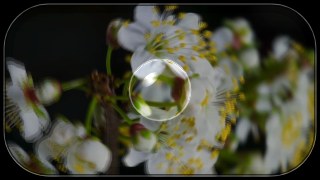
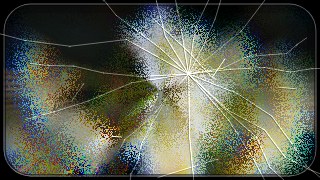
The standout is a draggable Glass Lens: grab it directly on the canvas and slide it anywhere over the frame. It magnifies what's underneath with spherical refraction that bends harder toward the rim, plus adjustable chromatic aberration (R/B channels split radially), frost/blur, a specular edge glint and circle, rounded or hexagon shapes — with a wobble option and even a second lens. Toggle Shatter to overlay procedural cracks radiating from an impact point, tuned by density, strength and seed, drawn as dark fractures with bright glassy highlights and sparkle. Works on webcam, video or a still image in 9:16, 1:1 or 16:9, chains with other effects via Combine and an animated keyframe timeline. Free to use and preview; downloads export MP4, WebM or PNG with adjustable FPS and bitrate.
Use it for
- Give a product photo a premium glass-slab card look for a store or ad
- Drop a draggable magnifier lens over a video to spotlight a detail or face
- Add chromatic-aberration glass refraction to a music-video or performance clip
- Build a glassmorphism title card or thumbnail in 1:1 or 16:9
- Crack a portrait or logo with procedural shattered-glass overlays
- Frost a background pane behind on-screen captions for a clean UI vibe
How to use it
Open the Studio and pick a source: your webcam, a video or an image.
Add Glassify from the hub, tweak its controls and watch the preview update live.
Export a 9:16 MP4 (or WebM / PNG) — no watermark with a license.