KRKART
ReColor — remap colors with hue shift, gradient maps and grading
ReColor recolors any image or video in real time, right in your browser. Pick a look, push a few sliders, and export — files never leave your device, and nothing is uploaded.
What it does
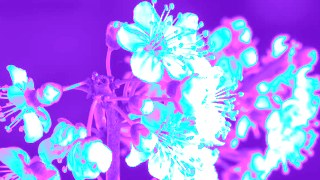
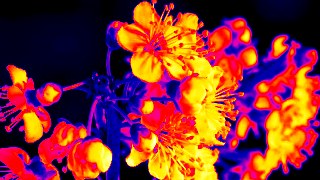
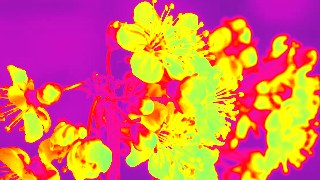
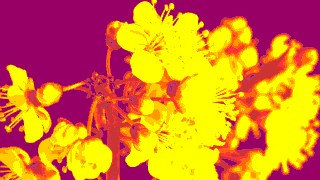
ReColor runs three remapping modes. Hue Shift turns image brightness into an HSL color ramp across a hue band you set with Hue and Span sliders, so a flat clip becomes a continuous color sweep. Gradient Map remaps shadows-to-highlights through a 256-step lookup table built from a preset palette — Inferno, Magma, Plasma, Viridis, Vaporwave, Thermal, Sepia, Cyberpunk, Matrix and more — or from your own color stops (2 to 8, plus a 2-color Duotone with separate shadow and highlight). Selective shifts only one band of hue you target — say the blue of a sky — using Width, Feather and Hue Shift controls, while leaving everything else untouched, with optional saturation boost and desaturation of the rest.
On top of any mode there's a full grade pass: Brightness, Contrast, Saturation, Posterize and Invert, plus a Mix slider to blend the result back against the original. One-click Look presets (Vaporwave, Thermal, Duotone, Neon, Sepia, Poster, Mono, X-Ray) set everything at once as a starting point. A Flow control animates the effect over time — rotating the hue or sliding the LUT — and ReColor can be chained with other effects via Combine and animated on the keyframe timeline. Works on 9:16, 1:1 and 16:9. Preview is free; download MP4, WebM or PNG with a paid plan.
Use it for
- Give a music clip a Vaporwave or Cyberpunk palette with one Look preset
- Turn flat footage into a Thermal or Inferno heatmap look via Gradient Map
- Swap a sky from blue to teal while leaving skin tones untouched with Selective
- Build a clean two-color Duotone from your own brand shadow and highlight
- Add an animated hue sweep across a loop using the Flow control
- Posterize and invert a clip for a high-contrast poster or X-Ray style
How to use it
Open the Studio and pick a source: your webcam, a video or an image.
Add ReColor from the hub, tweak its controls and watch the preview update live.
Export a 9:16 MP4 (or WebM / PNG) — no watermark with a license.