KRKART
Kaleidoscope — fold any video into a spinning mirror mandala
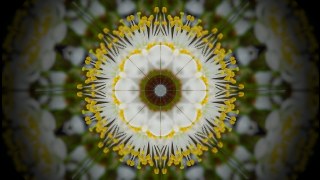
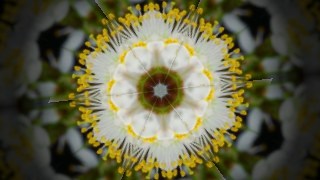
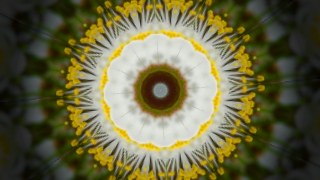
Kaleidoscope samples a single wedge of your footage and reflects it around a center point, turning a webcam feed, video clip, or still image into a living radial mandala. It runs entirely in your browser — nothing is uploaded, your files never leave the device.
What it does
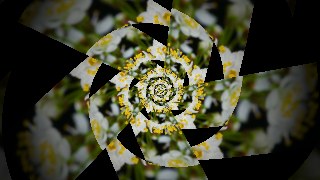
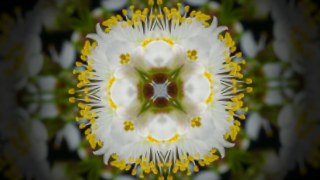
At its core Kaleidoscope takes one angular slice of the source and repeats it around a center to build classic mirror symmetry. Five symmetry modes change how the slice is folded: classic mandala, single reflected mirror-wedge, pure rotational repetition with no mirroring, a square 4-fold crystal grid, and an infinite droste spiral. Set anywhere from 2 to 36 segments, toggle mirroring and radial mirror to bounce the texture outward, and soften the joins with edge feather and wedge blend so seams melt into each other. Drag the sampling center, zoom from 0.2x to 4x, roll the source, and add rotation or continuous spin to keep the whole pattern turning.
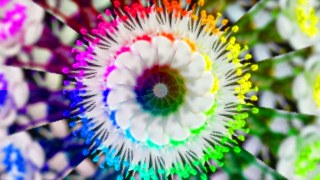
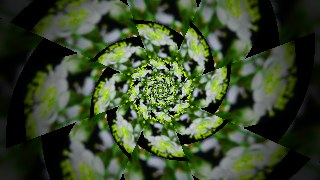
Beyond the geometry there's a full look stack. The droste mode and its spiral twist create a recursive zoom that falls in on itself forever, while a zoom pulse breathes the texture in and out on a beat-like rate. Color controls give you hue shift, animated hue spin, a per-wedge hue step that paints each segment a different shade, plus saturation, brightness and gamma. Finish with monochrome, invert, vignette, and a custom background color. Seven one-tap presets — Classic Mandala, Hexa Mirror, Spiral Droste, Pulse Bloom, Rainbow Wheel, Square Crystal, Hypno Tunnel — set everything at once. Preview free, chain it with other effects via Combine, animate any slider on the keyframe timeline, and export to MP4, WebM, or PNG in 9:16, 1:1, or 16:9.
Use it for
- Hypnotic 9:16 kaleidoscope visuals for Reels, Shorts and TikTok
- Live webcam mandala for streams and VJ sets
- Looping background textures for music videos
- Trippy droste-spiral tunnels for transitions
- Symmetric brand intros from a single logo or clip
- Rainbow-wheel hue-spinning loops for social posts
How to use it
Open the Studio and pick a source: your webcam, a video or an image.
Add Kaleidoscope from the hub, tweak its controls and watch the preview update live.
Export a 9:16 MP4 (or WebM / PNG) — no watermark with a license.
7 ready-made looks
Each look is a one-click starting point for Kaleidoscope — it opens in the Studio on a demo clip, ready for your own footage.