KRKART
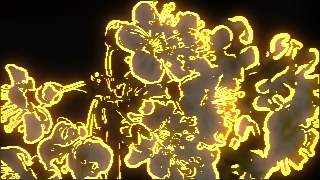
EdgeGlow — Sobel edge detection redrawn as glowing neon outlines
EdgeGlow traces the contours of your footage with a real-time Sobel edge detector and lights them up as neon lines on black. It runs entirely in your browser on webcam, video, or images — nothing is ever uploaded, and your files never leave your device.
What it does
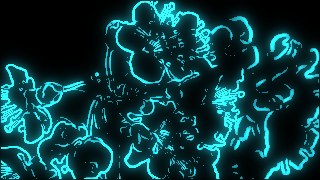
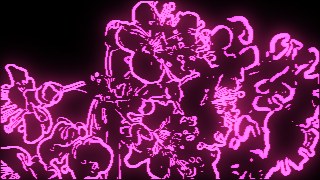
EdgeGlow runs a Sobel operator over a downscaled grayscale of your source to find edges, then redraws only those contours as crisp neon lines. A two-pass additive bloom composites a blurred copy of the lines over a tight bright core, so the outlines genuinely glow rather than just sit flat. You control the Threshold (how much detail becomes a line), Thickness, an Invert toggle that flips lit and unlit areas, plus Glow radius and Intensity for the strength of the halo. A Quality segment (300–480px working resolution) lets you trade sharpness against speed, and everything updates live as you tweak.
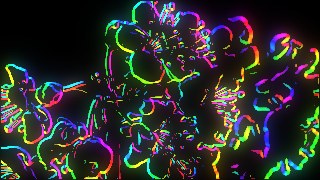
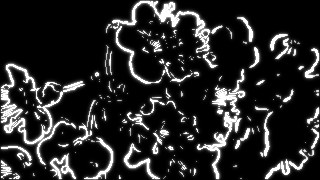
Four Color Modes change how the contours are tinted: Mono draws white-on-black brightness lines, Neon paints every edge in your chosen Line Color, Rainbow (Pro) maps hue to edge position and orientation with an animatable Hue Cycle that rotates over time, and Source (Pro) keeps each edge in the original color of the pixel underneath it. The Background can be solid Black, a dimmed version of the source, or fully Transparent for stacking over other layers. Chain it with other effects using Combine, animate any control on the keyframe timeline, render at 9:16, 1:1, or 16:9, and export to MP4, WebM, or PNG.
Use it for
- Neon outline intros and transitions for music videos, Reels and Shorts
- Wireframe-style contour overlays stacked over footage via Transparent background
- Rainbow edge animations that cycle hue across a beat-synced loop
- Glowing line-art portraits from a webcam in real time
- Live visuals projected behind a stage, a gig or an installation
- Turning product shots or logos into clean neon outline graphics
How to use it
Open the Studio and pick a source: your webcam, a video or an image.
Add EdgeGlow from the hub, tweak its controls and watch the preview update live.
Export a 9:16 MP4 (or WebM / PNG) — no watermark with a license.
6 ready-made looks
Each look is a one-click starting point for EdgeGlow — it opens in the Studio on a demo clip, ready for your own footage.