KRKART
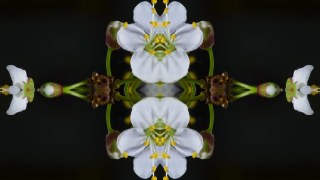
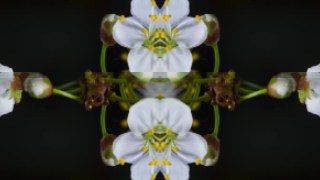
Mirror — axis symmetry that folds your frame into clean reflections
Keep half the frame and reflect it across a straight axis for instant, razor-clean symmetry. It runs entirely in your browser on webcam, video or image — nothing is ever uploaded.
What it does
Mirror works on straight axes, not a radial spin. Pick a mode and it keeps one part of the frame and reflects it across a line: Horizontal mirrors left/right, Vertical mirrors top/bottom, Quad seeds one corner into all four quadrants, Diagonal reflects across the diagonal, and H+V folds both axes at once for a four-fold result. You choose which half stays (Keep Side) or which quadrant feeds the Quad mode, slide the Axis Offset to move the fold line off-center, and toggle Flip Copy to flip the mirrored half for an extra twist. A Pro Seam Fade softly cross-blends the strip along the axis so the join reads clean instead of hard-edged.
Before mirroring you can reframe the source: Rotate, Zoom and Pan X/Y reposition what gets folded, so the symmetry lands exactly where you want it. A Look pass adds Monochrome and Invert for a high-contrast graphic finish, and a Quality setting (360–640px working resolution) trades detail against speed. Because it composes on a downscaled buffer with plain mirrored draws, it stays real-time even on a live webcam. Chain it with other effects via Combine, animate the axis and reframe with the keyframe timeline, work in 9:16, 1:1 or 16:9, preview free, and export MP4, WebM or PNG.
Use it for
- Turn a dance or performance clip into a hypnotic symmetrical 9:16 reel
- Build kaleidoscope-style quad patterns from any video or image
- Mirror a webcam feed live for a symmetric talking-head or VJ look
- Create clean left/right symmetry for portraits, logos and product shots
- Make diagonal-fold abstract loops for backgrounds and transitions
- Pair with Monochrome and Invert for stark black-and-white graphic posters
How to use it
Open the Studio and pick a source: your webcam, a video or an image.
Add Mirror from the hub, tweak its controls and watch the preview update live.
Export a 9:16 MP4 (or WebM / PNG) — no watermark with a license.
6 ready-made looks
Each look is a one-click starting point for Mirror — it opens in the Studio on a demo clip, ready for your own footage.