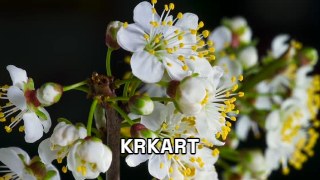
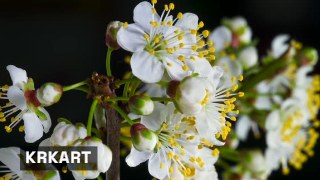
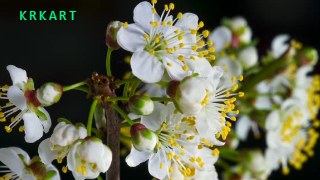
KRKART
Text — titles and captions laid over your video
Drop clean, readable text over any video, webcam feed, or image — or over a whole effect chain. It runs entirely in your browser, so nothing is ever uploaded, and you can preview free before exporting MP4, WebM, or PNG.
What it does
Text draws your words straight over the source — video, webcam, or image — with full control over how they sit and how legible they stay. Pick Sans, Mono, or Serif, set weight from Light to Bold, flip on UPPERCASE, and tune size as a percentage of the frame so it scales with any aspect ratio (9:16, 1:1, 16:9). Place it by dragging the handle right on the canvas or dial in exact X/Y position, choose left, center, or right alignment, and adjust letter spacing, line height, and opacity. It defaults to a lower-third position, ready to go. For multiple lines, just separate them with a "|" — handy for a title over a subtitle.
Legibility is the whole point, so you get an outline (stroke with its own color and thickness), a drop shadow, and a solid background box with adjustable color and opacity — any combination keeps text crisp over busy footage. Because Text renders as a passthrough layer, it works standalone on a single clip or sits on top in Combine, captioning a full stack of effects underneath. Every numeric control — position, size, spacing, opacity and more — is animatable on the keyframe timeline (and can be driven by LFO or audio sliders), so titles can slide, fade, or pulse. Export settings include FPS and bitrate for clean output.
Use it for
- Add a lower-third name or handle to a talking-head webcam clip
- Caption a vertical 9:16 reel for TikTok or Reels with bold, outlined text
- Stack a title over a subtitle on a single line using the "|" separator
- Put a readable label on top of a Combine effect chain
- Drag a watermark or credit into the corner of an exported video
- Animate a title that fades or slides in on the keyframe timeline
How to use it
Open the Studio and pick a source: your webcam, a video or an image.
Add Text from the hub, tweak its controls and watch the preview update live.
Export a 9:16 MP4 (or WebM / PNG) — no watermark with a license.
6 ready-made looks
Each look is a one-click starting point for Text — it opens in the Studio on a demo clip, ready for your own footage.